

Piedmont Medical Solutions
Updated 10:44 AM CDT, Tue August 4, 2026
Published Under: Continuous Glucose Monitors
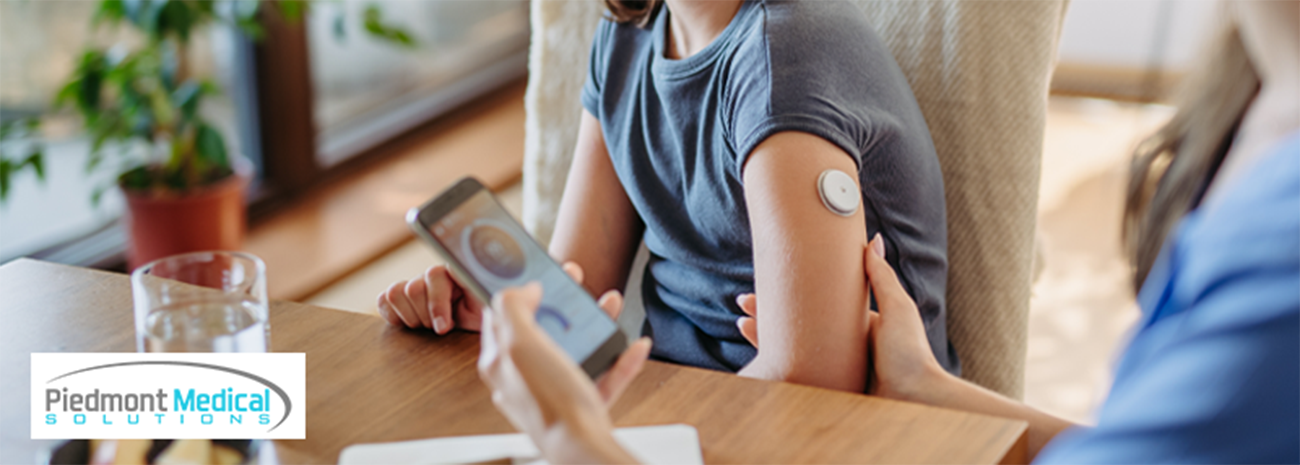
A continuous glucose monitor can provide valuable insight into your daily glucose patterns, but that constant stream of information can sometimes feel like a lot to manage. If your phone seems to buzz every hour, your receiver sounds alerts throughout the day, or nighttime alarms repeatedly interrupt your sleep, you're not alone.
Many people experience CGM alert fatigue after weeks or months of hearing frequent notifications. Instead of feeling supported by the technology, they begin to feel frustrated, anxious, or tempted to ignore alerts altogether.
The good news is that most users can make their CGM notifications more manageable without sacrificing important safety warnings. Understanding which alerts matter most, reviewing settings with your healthcare provider, and reducing unnecessary notifications can help you get the benefits of continuous glucose monitoring without feeling overwhelmed.
Quick Navigation
- What is CGM Alert Fatigue
- How CGM Alerts Can Start to Feel Overwhelming
- Which CGM Notifications Matter Most?
- How Can I Reduce CGM Alerts?
- Tips for Managing Nighttime CGM Alarms
- When to Talk With Your Healthcare Provider About CGM Settings
- FAQs
What Is CGM Alert Fatigue?
CGMs are designed to help you identify trends, avoid dangerous highs and lows, and better understand how food, activity, stress, sleep, and medications affect your glucose levels.
The challenge is that the same technology that provides helpful information can also create a steady stream of CGM notifications, blood sugar alerts, and reminders.
Over time, some people develop diabetes alarm fatigue, meaning they become emotionally drained by frequent alerts or begin responding to them less consistently. In some cases, users start silencing notifications or automatically dismissing alerts without fully reviewing them.
That reaction is understandable. Managing diabetes already requires daily attention. Constant interruptions can add another layer of mental burden, especially when alerts occur during work, family activities, exercise, or sleep.
CGM alert fatigue does not mean you're doing anything wrong. More often, it means your alert strategy may need adjustment.
How CGM Alerts Can Start to Feel Overwhelming
Alerts Are Set Too Aggressively
Some users receive notifications whenever glucose moves outside a very narrow range. While that may sound helpful, it can create repeated alerts throughout the day.
If you're frequently receiving high or low notifications that do not require immediate action, it may be worth discussing your CGM alert settings with your healthcare provider.
Multiple Devices Create Duplicate Notifications
Many people receive alerts on:
- A smartphone
- A receiver
- A smartwatch
- A caregiver's device
What starts as one glucose event can quickly become several alarms from different devices.
Rapid Glucose Changes Trigger Additional Alerts
Meals, exercise, stress, illness, and medications can sometimes cause glucose levels to rise or fall quickly. Certain systems may provide multiple alerts related to these changes in a short period.
Sensor and Signal Issues
Occasional signal interruptions, connection problems, or sensor-related alerts can contribute to notification overload.
Alerts Are Not Properly Acknowledged
Some systems continue repeating notifications until they are acknowledged correctly. If an alert isn't fully dismissed within the device app, it may continue recurring even after you've already seen it.
Sleep Disruptions Make Everything Feel Worse
A few daytime alerts may feel manageable. Several overnight alarms can quickly make anyone feel exhausted.
Poor sleep often magnifies frustration, making CGM alerts at night one of the biggest contributors to alert fatigue.
How Do I Know Which CGM Alerts Matter Most?
Priority should generally be given to urgent low glucose alerts, severe low warnings, and other safety-related notifications recommended by your healthcare provider. Less urgent alerts may sometimes be adjusted to better fit your lifestyle, but important safety alerts should remain active unless your care team advises otherwise.
Not every notification carries the same level of urgency. While every CGM system differs, alerts generally fall into a few categories.
High-Priority Safety Alerts
These commonly include:
- Urgent low glucose alerts
- Severe low glucose warnings
- Predicted low alerts
- Critical device notifications affecting monitoring
These alerts are designed to help protect your safety and should not be ignored.
General High and Low Alerts
These notifications help you identify when glucose moves outside your target range. Depending on your needs, your healthcare provider may recommend adjustments to thresholds or timing.
Trend Alerts
Some systems alert when glucose is rising or falling quickly. These can be helpful but may not always require immediate action.
Technical Alerts
These include connection issues, signal loss notifications, calibration reminders, or sensor-related messages.
Understanding the purpose of each alert often helps reduce anxiety and makes notifications easier to interpret.
How Can I Reduce CGM Alerts?
You may be able to reduce CGM alarms by reviewing alert thresholds with your healthcare provider, limiting duplicate notifications, properly acknowledging alerts, prioritizing safety warnings, and adjusting optional notification settings when appropriate.
Review Alert Thresholds with Your Provider
Your diabetes care team can help determine whether your current thresholds fit your treatment plan and daily routine.
For some users, small adjustments may significantly reduce notification volume while maintaining appropriate safety monitoring.
Prioritize Urgent Low Alerts
If you're receiving too many notifications, focus on preserving alerts related to severe lows and other important safety concerns.
These warnings play an important role in diabetes management with CGM technology.
Reduce Duplicate Notifications
Check which devices are receiving glucose monitor notifications. In some situations, removing redundant alerts from secondary devices may reduce distractions throughout the day.
Acknowledge Alerts Properly
Many recurring alerts happen because notifications were dismissed incorrectly rather than officially acknowledged within the CGM app.
Taking a few extra seconds can prevent repeat alarms.
Consider Different Daytime and Nighttime Settings
Depending on your device, you may have access to settings designed specifically for sleeping hours versus daytime activities.
Products such as Dexcom alerts and FreeStyle Libre alarms may offer varying levels of customization.
Refresh Alarm Sounds Periodically
Sometimes people become accustomed to hearing the same tone repeatedly. Changing notification sounds occasionally may help important alerts remain noticeable without increasing volume.
Tips for Managing Nighttime CGM Alarms
Nighttime CGM alarms may occur because glucose levels are crossing alert thresholds, glucose is changing rapidly during sleep, sensors are experiencing pressure from sleeping positions, or alert settings are more sensitive than necessary for your situation.
Sleep interruptions can be one of the most frustrating parts of CGM use.
A few strategies worth discussing with your healthcare team include:
- Reviewing nighttime high and low thresholds
- Evaluating recurring overnight glucose patterns
- Checking for pressure-related sensor issues during sleep
- Confirming devices are positioned correctly
- Reducing duplicate alerts coming from multiple devices
- Verifying alerts are being acknowledged appropriately
If nighttime alarms happen frequently, your provider may be able to help identify whether the issue stems from alert settings, glucose patterns, or device-related factors.
How Caregivers Can Help Without Adding More Stress
Remote sharing features can provide tremendous peace of mind for families and caregivers. At the same time, receiving every notification on multiple devices can occasionally increase stress rather than reduce it.
Helpful approaches may include:
- Agreeing on which alerts truly require caregiver involvement
- Discussing expectations ahead of time
- Avoiding repeated check-ins after routine notifications
- Focusing shared alerts on meaningful safety concerns
The goal is support, not constant surveillance.
When to Talk with Your Healthcare Provider About CGM Settings
Do not disable important safety alerts without guidance from your healthcare provider. If alarms feel overwhelming, talk with your provider about adjusting alert settings, thresholds, timing, or notification preferences instead of simply turning everything off.
Consider reaching out to your diabetes care team if:
- Alarms are significantly affecting your sleep
- You regularly ignore notifications
- Alerts create ongoing anxiety or frustration
- You experience frequent false alarms
- You're unsure which settings are appropriate
- CGM use is contributing to diabetes burnout
Your provider can help determine whether adjustments are appropriate for your individual treatment goals.
How Piedmont Medical Solutions Supports CGM Users in North Carolina
At Piedmont Medical Solutions, we understand that successful CGM use is about more than simply receiving a device. It's about helping people feel comfortable, informed, and confident using it every day.
As a trusted CGM supplier in North Carolina, we help patients throughout Clemmons, Winston-Salem, Greensboro, High Point, and surrounding communities access the supplies they need for ongoing diabetes management.
Whether you're comparing device options, starting your first CGM, or working through supply questions, our team is here to help support your journey. If you're looking for CGM supplies or support in North Carolina or have questions about a continuous glucose monitor, we're happy to help guide you through the process.
Take Control of Your CGM Alerts Without Tuning Out Your Health
CGM technology can provide valuable insight, earlier warnings, and greater confidence in daily diabetes management. But the experience should feel helpful—not overwhelming.
If constant notifications are becoming exhausting, remember that alert fatigue is common. Small adjustments, thoughtful prioritization, and conversations with your healthcare provider can often make a significant difference.
If you need help exploring CGM options, coordinating supplies, or getting started with continuous glucose monitoring, contact our team at Piedmont Medical Solutions. We're proud to support people across North Carolina with practical education, reliable service, and ongoing assistance every step of the way.
Ready to learn more? Visit our contact page to connect with our team.
FAQs
What is CGM alert fatigue?
CGM alert fatigue happens when frequent glucose alerts, alarms, and notifications become stressful, frustrating, or easy to ignore. It often develops when users receive repeated alerts throughout the day or night. The goal is not to eliminate important warnings but to create an alert strategy that balances safety with daily comfort and usability.
Why does my CGM keep alarming?
CGMs can generate alerts for high glucose, low glucose, rapid changes, signal issues, or sensor-related problems. Duplicate notifications from multiple devices can also make it seem like alarms are occurring more often. Reviewing your settings and discussing concerns with your healthcare provider may help identify the cause.
Can I turn off CGM alerts?
Some CGM systems allow certain notifications to be customized or disabled, while critical safety alerts may remain active. Before changing important alert settings, talk with your healthcare provider. Turning off key warnings could reduce your awareness of significant glucose events that may require attention.
How do I reduce CGM alerts at night?
Many people reduce nighttime interruptions by reviewing alert thresholds with their healthcare provider, minimizing duplicate notifications, checking sensor placement, and using device-specific sleep settings when available. Frequent overnight alarms may also indicate glucose patterns that should be discussed with a healthcare professional.
What CGM alerts should I never ignore?
Urgent low glucose alerts, severe low warnings, and other safety-related notifications recommended by your care team should always be taken seriously. These alerts are designed to help identify situations that may require prompt attention. Follow the guidance provided by your healthcare provider for responding to these events.
Can Piedmont Medical Solutions help me choose or manage CGM supplies?
Yes. We help patients across North Carolina learn about CGM options, navigate insurance requirements, coordinate supplies, and access ongoing support. Whether you're considering a Dexcom system, a FreeStyle Libre device, or another solution, our team can help you better understand your available options and next steps.
Comments